Can I use my phone as proof of an Oregon fishing license?
Oh, the age-old question that plagues every angler heading out the door: "Do I have my license?" It's such a hassle to dig through your wallet, worry about a crumpled paper copy getting wet, or even worse, realize you left it on the kitchen counter after a rushed morning. The good news is, in this digital age, many of us are wondering if our trusty smartphones can come to the rescue. This guide is here to clear up the confusion and walk you through exactly how you can use your phone as legitimate proof of your Oregon fishing license, saving you a headache and potential fines.
The Official Word on Digital Proof for Oregon Fishing Licenses
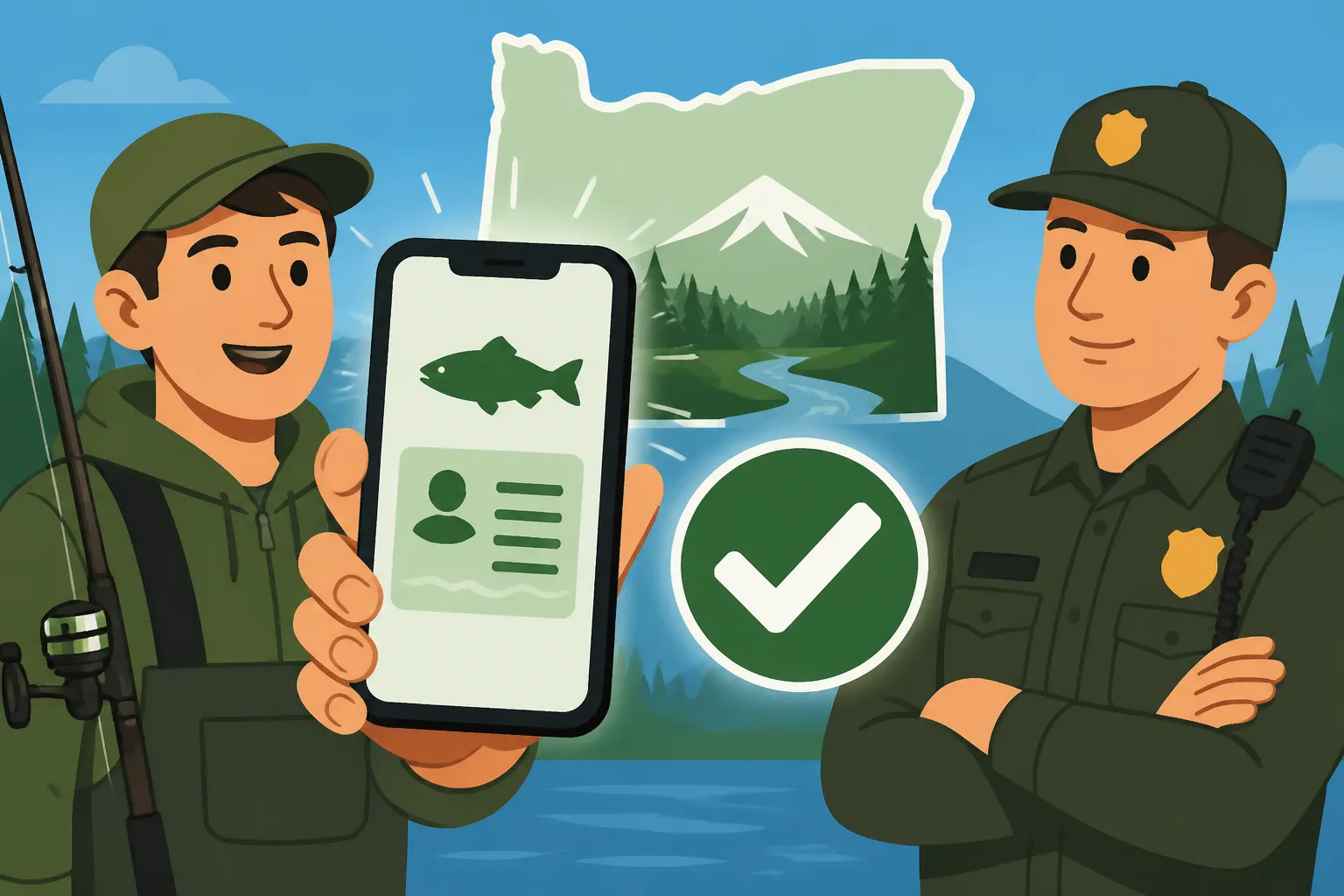
Let's cut right to the chase because this is the most important bit: Yes, you absolutely can use your phone as proof of your Oregon fishing license. The Oregon Department of Fish and Wildlife (ODFW) understands that technology is part of our everyday lives, and they’ve embraced it to make things a little easier for us anglers. Gone are the days when a paper copy was your only acceptable form of proof. Now, with a few smart steps, your phone can be your official fishing credential.
This shift is a huge relief for countless folks who've accidentally left their physical license at home or had it disintegrate in a rain-soaked tackle box. The ODFW's primary goal is compliance, and if a digital format helps more people stay compliant, then it's a win-win. So, rest assured, you're not trying to pull a fast one on a game warden by showing them your screen; you're operating within the accepted regulations.
ODFW's Digital Platform and Mobile Access
The key to legitimate digital proof lies in using the official ODFW platform. When you purchase your Oregon fishing license, whether it's an annual angling license, a multi-day option, or even an Oregon Shellfish License, you do so through their online system. This system automatically generates a digital record of your purchase. You can then access this record in a couple of ways that are accepted in the field.
First, you can log into your MyODFW account directly from your phone's web browser. Once logged in, you can navigate to your license history and display the current, valid license. The ODFW system is designed to be mobile-friendly, making this process relatively smooth. Secondly, and perhaps even more conveniently, ODFW offers a dedicated mobile application for both iOS and Android devices. This app is specifically designed for anglers and hunters to manage their licenses, view regulations, and even report harvests. By downloading your license directly to this app, you create a readily accessible and verifiable digital document. The beauty of the app is that it stores your license data locally, meaning you don't always need a cell signal to display it, which brings us to our next crucial point.
What Constitutes Valid Digital Proof?
Here's where some anglers can get tripped up, and it's essential to understand the distinction. Simply snapping a quick photo of your paper license with your phone's camera, while it might seem convenient, is generally not considered valid digital proof by ODFW. Game wardens need to be able to verify the authenticity and current validity of your license, which a mere photograph might not allow them to do. A static image can be outdated, altered, or simply lack the dynamic information required for verification.
Valid digital proof means you're displaying the official document generated by ODFW's system. This could be:
- Your ODFW-issued e-license PDF: After purchasing your license online, you usually have the option to download a PDF version. Saving this PDF directly to your phone's files or a cloud storage service (like Google Drive or Dropbox) is an excellent way to have it on hand.
- Accessing your license through your MyODFW online account: Logging into your account on the ODFW website via your phone's browser and showing the live license details.
- Displaying your license within the official ODFW mobile app: This is often the most straightforward and preferred method as the app is built for this purpose and often works offline.
The key is that the digital proof must be directly traceable to your official ODFW records and clearly show your name, license number, license type, and the valid dates. This allows a game warden to quickly and accurately confirm your compliance on the spot.
Practical Considerations for the Savvy Angler
While the digital convenience is fantastic, let's be real – fishing in Oregon often takes you to some pretty wild and remote places. And those places aren't always friends with technology. There are a few practical bumps in the road you'll want to anticipate and prepare for to ensure your digital license is always accessible when you need it most.
It’s one thing to have your license on your phone, and another for that phone to actually work when a game warden asks to see it, especially if you’re deep in the wilderness along the Deschutes River or out on a remote section of the Rogue River. Trust me, the last thing you want is a preventable citation because your phone decided to quit on you. Staying informed on things like your Oregon Fishing License Expiration Date is just as critical as having the license itself.
Battling the Elements: Signal Strength and Battery Life
This is the big one, isn't it? We've all been there: driving out to a favorite fishing spot, watching those cell signal bars drop one by one until there's nothing left but "SOS only." Many of Oregon's prime fishing locations, from high mountain lakes in the Cascades to secluded coastal rivers, have notoriously spotty or non-existent cell service. If your digital proof relies on an active internet connection (like logging into your MyODFW account through a web browser), you're going to be out of luck without a signal.
Another pervasive fear is the dreaded dead battery. You spent all day fishing, maybe using your phone to check a tide chart, snap a few photos of your catch, or even stream some tunes, and now it's a brick. A game warden isn't going to accept "my phone died" as a valid excuse for not producing your license. These aren't just minor inconveniences; they can lead to significant problems, including a potential fine for fishing without a license.
To combat these challenges, consider a few safeguards:
- Download offline copies: If using the ODFW app, ensure your license is downloaded and saved within the app itself, so it doesn't require an internet connection to display. If you're using the PDF option, save it directly to your phone's local storage (not just in the cloud).
- Portable charger: Investing in a good quality portable power bank (you can find excellent options on Amazon) is a game-changer. Keep it charged and in your fishing pack. It can be a literal lifesaver for your phone, ensuring you always have enough juice to display your license and make emergency calls.
- Waterproof protection: Whether it's a heavy downpour or an accidental splash in the boat, water and electronics don't mix. A waterproof phone case or a dry bag can protect your device and, by extension, your digital license. Again, Amazon has a plethora of options for every phone model.
Safeguarding Your Digital License: Beyond the Basics
Think of your digital license as a crucial document, just like your driver's license or passport. You wouldn't just leave those lying around or unprotected, would you? The same goes for your digital proof. It's not just about having it on your phone; it's about ensuring its security and accessibility.
Beyond having it downloaded to your device, consider these advanced safeguarding tactics:
- Cloud backup: While you want it on your device for offline access, having a copy of your PDF license stored in a secure cloud service (like Google Drive, Apple iCloud, or Microsoft OneDrive) means that even if you lose or severely damage your phone, you can still access it from another device. This is a great fallback plan.
- Email yourself a copy: A simple email with your license PDF attached can serve as another easily accessible backup. You can search your inbox for it in a pinch if other methods fail.
- Print a backup (the old-school reliability): Even though we're talking digital, there's no harm in being extra prepared. For those longer trips or particularly remote excursions, printing a physical copy of your license and keeping it in a waterproof bag in your tackle box or vehicle isn't a bad idea. It's the ultimate failsafe when all else fails. While it might seem counterintuitive to the digital convenience, it ensures you’re never caught without proof. Knowing how to manage your Oregon Fishing License Online vs In Person options can help you decide the best approach.
Common Pitfalls and Best Practices for Digital Anglers
Navigating the waters of digital fishing licenses is mostly smooth sailing, but there are a few snags that anglers commonly encounter. Being aware of these and adopting some simple best practices can save you a lot of grief out on the water. It’s not just about having the technology; it’s about using it wisely and responsibly.
Ensuring you have your Oregon Combined Angling Tag Guide or understanding the specific requirements for different species means your license is just one piece of the puzzle. The technology should enhance, not complicate, your adherence to all regulations.
Why a Simple Photo Might Not Cut It
We touched on this briefly, but it bears repeating because it's a common misconception. Many people assume a photo or screenshot of their paper license or even a screenshot of their digital license on the ODFW website is sufficient. While a game warden might be lenient in some cases, it's not the official, universally accepted method.
Here's why:
- Authenticity Concerns: A photo can be easily manipulated or could be of an expired license. Game wardens need to quickly verify that the document is current and legitimate. The ODFW app or the downloaded PDF contains specific data and formats that are easily recognizable as official.
- Lack of Dynamic Data: Official digital documents often have barcodes or QR codes that a warden can scan with their own device to instantly confirm validity. A simple image might not contain this crucial, verifiable information.
- Official Policy: While a picture might be tolerated by some, the official ODFW stance is that you must present the actual e-license document (either the PDF or via the ODFW app/website login). Don't risk a citation by relying on an unapproved method.
Always strive to use the official ODFW app, a downloaded PDF, or live access through your MyODFW account to display your license. It's the safest bet to avoid any misunderstandings.
Keeping Your Digital Records Up-to-Date
Just like your physical license, your digital fishing license has an expiration date. It's easy to forget about it, especially when you're busy planning your next trip. Oregon's annual angling licenses typically run for a calendar year, usually expiring on December 31st, regardless of when you purchased them during the year. Forgetting this means you could be fishing illegally, even with what you think is a valid digital license on your phone.
Best practices for keeping your digital records current:
- Set reminders: Put a recurring reminder in your phone's calendar for November or early December to check your license status and plan for renewal. This proactive step can save you a last-minute scramble. If you’re ever unsure, you can also check the guide on Oregon Fishing License Expiration Date.
- Regularly sync your ODFW app: If you use the ODFW mobile app, make sure it's periodically connected to the internet to sync with the ODFW system. This ensures that if you've renewed, the updated license information is pulled into your app.
- Delete old PDFs: Once you've renewed your license, consider deleting the old PDF version from your phone's local storage and replacing it with the new one. This prevents any confusion about which license is current, especially if you have multiple years saved. This is also important if you need to understand Oregon Catch Record Card Requirements for certain species.
Additional Digital Tools and Resources for Oregon Anglers
Beyond just proving you have a license, your smartphone can be an invaluable tool to enhance your entire Oregon fishing experience. The digital world offers a wealth of information and functionalities that can make you a more successful, compliant, and prepared angler.
Knowing how to maximize these digital advantages can mean the difference between a frustrating day on the water and a truly rewarding one. Plus, it shows you’re a prepared and responsible angler!
Exploring the MyODFW Account Features
Your MyODFW online account is much more than just a place to buy your fishing license. It's a comprehensive portal that offers a variety of features designed to help you manage your outdoor activities in Oregon. Think of it as your personalized hub for all things ODFW.
Here's what else you can typically do with your MyODFW account:
- Purchase additional tags and endorsements: Need an Oregon Combined Angling Tag Guide for salmon and steelhead, or an Oregon Ocean Endorsement for saltwater fishing? You can easily add these to your existing license through your account.
- Report harvests: For certain species like salmon, steelhead, and sturgeon, you might have specific catch reporting requirements. Your MyODFW account is where you can often fulfill these obligations digitally, making the process quick and painless.
- View past license history: Useful for tracking your purchases over the years or confirming details of a previous license.
- Access regulation updates: While not always real-time, the MyODFW site will link to the latest regulation pamphlets and emergency closures, helping you stay current on Oregon Fishing Regulations Explained.
Taking the time to familiarize yourself with all the functionalities of your MyODFW account will empower you to be a more informed and compliant angler, reducing stress and increasing your enjoyment on the water. For more details on what's available, check out the Oregon Fishing License Guide.
Leveraging Technology for a Better Fishing Experience
Your smartphone isn't just for proof of license; it's a powerful pocket computer that can significantly upgrade your fishing game. From planning your trip to being on the water, there's an app or digital tool for nearly every aspect of fishing.
Consider incorporating these technological aids:
- Weather and tide apps: Essential for coastal fishing, apps like MyRadar or dedicated marine weather apps provide critical information on wind, swell, and tide movements. For river fishing, these can help predict flow rates and temperatures.
- Topographic maps and GPS: Apps like Gaia GPS or onX Offroad provide detailed topographic maps that work offline, allowing you to mark fishing spots, navigate trails, and understand the terrain even without cell service. This is invaluable for exploring new areas or ensuring you stay on public land.
- Knot-tying apps: If you're anything like me, sometimes the perfect knot slips your mind under pressure. There are numerous free apps that demonstrate various fishing knots with clear animations or step-by-step instructions.
- Fish identification guides: Curious about a species you just caught? Apps like FishVerify or even a quick Google image search can help you identify fish and learn about their habits, potentially revealing if it's a regulated species or something you shouldn't be keeping.
- Gear research and purchasing: Let's face it, we all love new gear. Apps for major outdoor retailers or online marketplaces like Amazon allow you to research rods, reels, lures, and other accessories, compare prices, and read reviews, sometimes even while you're brainstorming your next purchase from the riverbank. This can be super handy for quickly looking up what bait might be recommended for certain species or conditions.
By combining your official digital license with these other smart tools, your phone transforms from just a communication device into a comprehensive fishing assistant, ready to help you land more fish and enjoy your time in Oregon's beautiful outdoors. And if you're ever looking for a quick reference on where to buy one, remember the Where to Buy an Oregon Fishing License guide.
Comparing Digital and Physical Oregon Fishing Licenses
While digital licenses offer unparalleled convenience, it's helpful to weigh the pros and cons against traditional paper licenses. Ultimately, the best choice often depends on your personal preference and how you plan to fish.
| Feature | Digital Fishing License (via Phone) | Physical Fishing License (Paper/Card) |
|---|---|---|
| Accessibility | Always on hand if phone is charged and accessible. | Requires carrying a physical document; can be forgotten. |
| Durability | Protected by phone; vulnerable if phone is lost/damaged. | Susceptible to water damage, tearing, loss. |
| Offline Access | Possible if downloaded/app-based; requires no cell signal. | Always accessible, no technology dependence. |
| Verification | Instant via ODFW app/PDF; scan potential for wardens. | Visual inspection by warden. |
| Environmental Impact | Paperless, eco-friendly. | Requires printing; potential for waste. |
| Backup Options | Cloud storage, email, secondary device. | Can laminate; photocopy for backup, but not official proof. |
| Cost | Same as physical license; no additional cost for digital format. | Same as digital; some retailers may charge small fee for printing. |
| Ease of Renewal | Can be done instantly online, updated on device. | Requires printing new copy or waiting for mail. |
| Potential Issues | Dead battery, no cell service, phone damage/loss. | Forgotten, lost, damaged by elements. |
The table clearly highlights that while digital licenses are incredibly convenient, they do come with a reliance on technology working as it should. For many, the peace of mind of having a physical backup or even just the physical license itself, especially in remote areas, is still preferable. However, with proper preparation (like a fully charged phone and downloaded license), digital is often the path of least resistance. Just be sure you understand your Oregon Fishing License Types Explained so you choose the right one.
Disclaimer
Please remember that fishing regulations and policies can change. While this guide is based on the most current information available, it is always your responsibility to check the official Oregon Department of Fish and Wildlife (ODFW) website or their current regulation pamphlets for the very latest rules and updates before you head out. This content is for informational purposes only and does not constitute legal advice.